Message from Scott Le Duc
Welcome to our learning community where we think, explore, and grow.
- Thank you for being here today!
- Below is material to help you enjoy our learning community or as Brian Eno calls it, a Scenius.
Emergency Lesson Plan
- As an emergency lesson plan, remind students that all current and future assignments are in Schoology as well as an overview video of the week.
OVERVIEW
- ALL STUDENTS SHOULD BE POLITE AND RESPECTFUL TO EACH OTHER AND YOU!
- NO CELL PHONES OUT AFTER THE BELL RINGS. They know if it is unprofessional to break this rule. Please record the infractions on a Post-it note or piece of paper and send them to the office to deposit their phone for the day. If they do not comply, do not argue with the student. Please call the office at x8010 (Suzanne) for support. Admin will take care of the situation.
- “We are smarter than me,” is our working philosophy. Collaboration is the name of the game. If you have any questions, ask the students. They are very supportive.
- Learning can be exciting, eventful, and full of unexpected situations. Thank you for being flexible, patient, and modeling the role of the life-long learner and guide on the side. It may seem a bit chaotic at times because students help teach each other in class, and this contributes to a lot of activity and talking.
- Students are responsible for their own classwork. They are working on projects. They each have their own blog hosted at Edublogs.org. They publish their work on their blog for credit in the class. Students may collaborate. In film classes, some students may work outside the classroom with cameras for a short period. Please ‘sign out’ and return any equipment used outside the classroom by showing you what they are taking. They should also have a small blue clipbaord for each team. They are on the counter behind you in a wooden yellow box.
- NO FOOD OR DRINK is allowed in the room, except in the back area by the sink over the tiled floor. Students know this. No exceptions. They may eat or drink, WITH YOUR approval. If a student is caught either eating or drinking in the room, please ask them to stop and /or move to the approved place to finish and record for me.
- NO VISITORS FROM OTHER CLASSES are allowed without passes from their teachers. If they have a pass, it is OK for them to work on our classwork.
- Beginning and advanced students in Film, Game Design, or School of Rock are blended together in the same class period. This is intentional. Peer mentoring is one of the most powerful learning processes.
- EMERGENCY EVACUATION MATERIAL is posted to the right of the main door. There is a class list inside and other information.
SCHEDULE
- Period 1 Film Cinematography
- Period 2 IB Film Cinematography (only Juniors and Seniors)
- Period 3 Game Design
- Period 4 Game Design
- 2nd Lunch
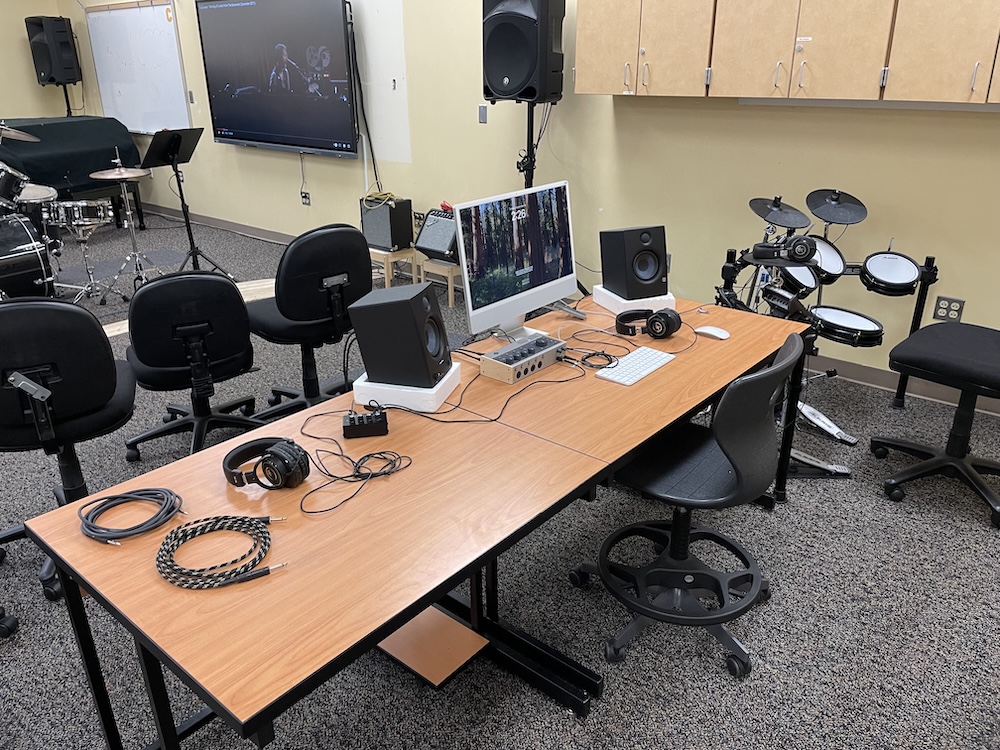
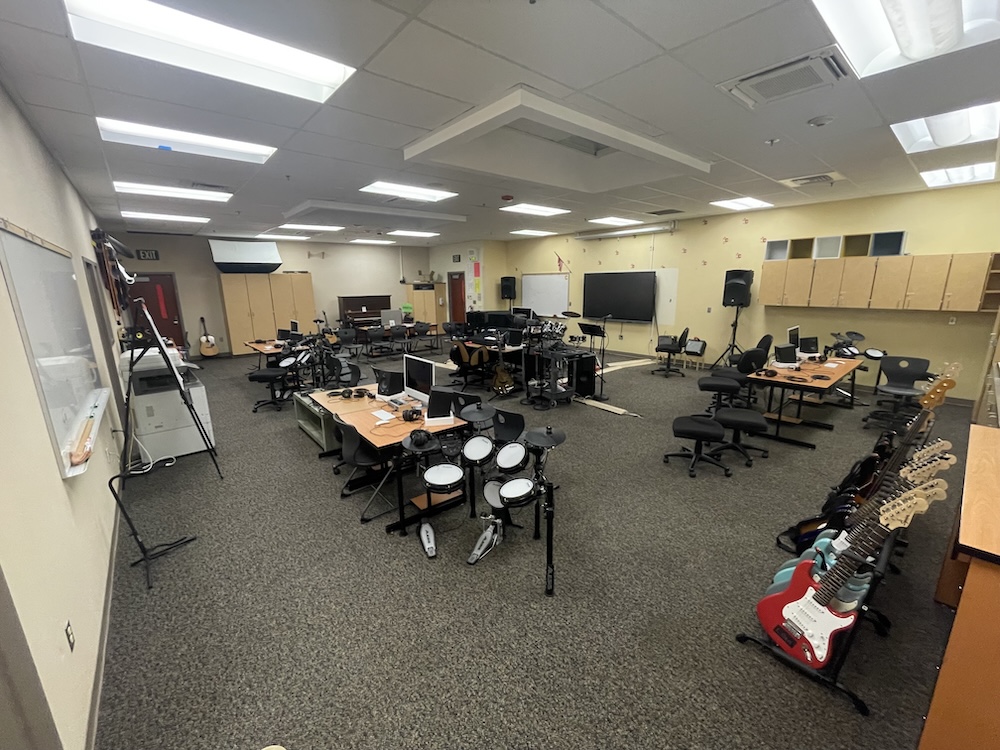
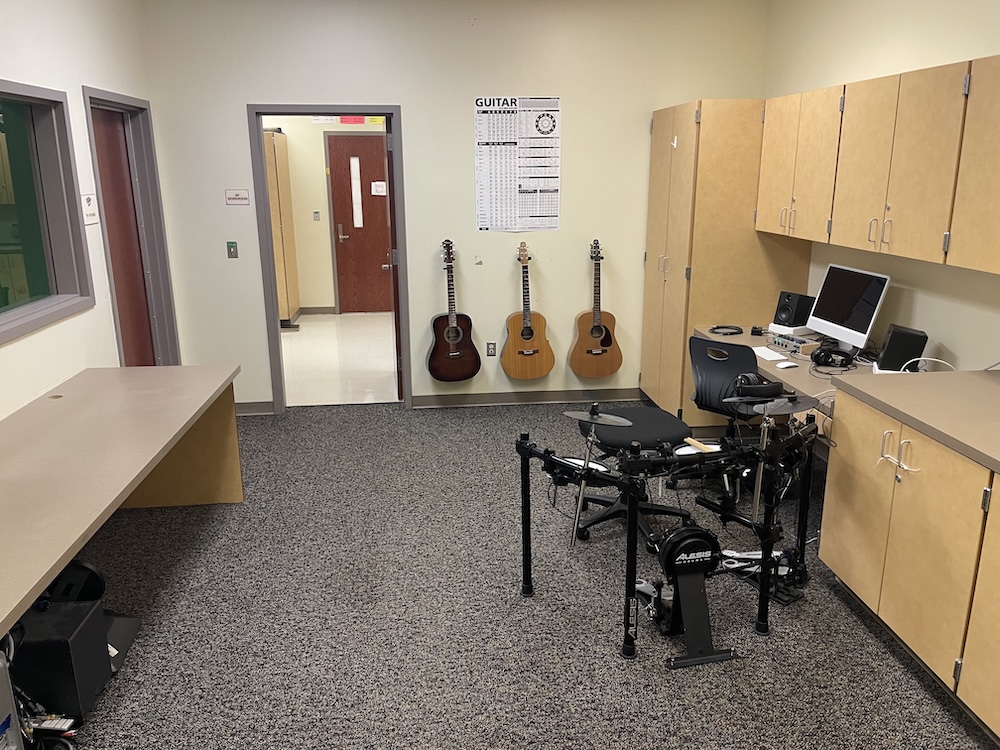
- Period 5 Planning (Mr. Disston is in the space for School of Rock Class)
- Period 6 School of Rock
TASKS
- ATTENDANCE: Take attendance at the beginning and end of class. You never know who might try to be clever and slip out before the rest. Someone leaving early is unfair for the rest of us who have to wait.
- PICTURES AND SEATING ARRANGEMENT: I have the seating arrangement printed and on my desk. Use this to address the students and take any notes you feel are necessary.
- DAY’S INSTRUCTION: Remind all students to check Schoology and their email. The instructions for the day are posted there on Schoology, or I have emailed them to each student.
- EVALUATION: Remind all students that they should be working on the current project or making up missed work. If all work is finishe,d they may be working on other academic work.
COMPUTERS
- Games are never allowed except for chess if the work is completed. The use of YouTube.com is also not allowed unless it is for academic purposes. Use your judgment for this one. Please note that anyone who abuses this privilege. Feel free to cite the OSD Network policy below to support your process.
OSD Network Use Policy
- Use of the system will primarily be in support of education and research and consistent with the mission of the district. The District reserves the right to prioritize use and access to the system.
- Any personal use of OSDNet resources shall be at no cost to the District, shall not interfere with the performance of official duties, must be brief in duration, and must not disrupt the conduct of District business.
- Use of the system must be in conformity with state and federal law, network provider policies and licenses, and district policies.
- Malicious use of the system to harass other users or gain unauthorized access to any computer or computing system and/or damage the components of a computer or computing system is prohibited.
- Users are responsible for the appropriateness and content of material they transmit or publish on the system. Hate mail, harassment, discriminatory remarks, or other antisocial behaviors are expressly prohibited.
- Use of the system to access, store, or distribute obscene or pornographic material is prohibited.
- Use of the system for commercial purposes is prohibited. Use of the system for charitable purposes must be approved in advance by the superintendent or designee.
- The system constitutes public facilities and may not be used to support or oppose political candidates or ballot measures.
- No use of the system shall serve to disrupt the operation of the system by others or compromise the security or integrity of district information or software; system components, including hardware or software, shall not be destroyed, modified, or abused in any way.
CLASS FOLDERS AND HANDOUTS

HALL PASSES, TISSUES, and WIPES

- Please have students use the Securly Chromebook to sign out and in and use the hall pass, usually on my desk by the student pictures, when they visit the restroom or need to run an errand. I want students to limit bathroom breaks to 3 times a semester or once a month, but I never say no to them. There are only a few students per class that abuse the bathroom process.
- Please track the time out, back in and the destination for those who leave the room, please record on the mustard color sheet.
- Students taking pictures MUST take the hall pass with the lanyard when they leave.
EQUIPMENT CHECKOUT
- Headphones and cameras can be used during class. Please informally track who uses what equipment.
FACILITIES
- Students should be working on classwork in the room. They can listen to music on the computer while working. The volume level is at your discretion.
CLEAN UP
- Have students do a quick cleaning of the room a few minutes before the end of class. Be sure to help them clean any debris from the floor, tables, and counters. Please check between the computers, as this is a place where much of the material gathers. I will often dedicate one individual to each row, countertop, table, or other general area. I find that an individual will get something done, while a group will stand around and wait for someone else to do something.
- Have students put other equipment back in its place.




COURSE DESCRIPTIONS
IB Film Cinematography
- Length of class: 1 to 2 years
- Occupational Ed or Elective: 9, 10, 11, and 12
- Prerequisite: none
- The IB Film course aims to develop in students the skills necessary to achieve creative and critical independence in their knowledge, experience, and enjoyment of film. The course is divided into three sections inextricably interwoven through the course; textual analysis, film theory and history, and creative process. Through a textual analysis of films and a study of film history, students will enhance the development of their creative, analytic, and production skills. Students will create scripts for documentaries that study specific film styles and techniques, develop oral presentations that critically analyze short film passages, and produce short films.
Game Design
- Length of class: 1 year, repeatable
- Occupational Ed or Elective: 9, 10, 11, and 12
- Prerequisite: None
- A course that focuses on the software, hardware, and mathematical tools used to represent, display, and manipulate topological, two and three-dimensional objects on a video screen and prepares individuals to function as computer graphics/video game development specialists. Includes instruction in graphics software and systems; computer programming; digital multimedia; graphic design, video game design and development; graphics devices, processors, and standards; attributes and transformations; projections; surface identification and rendering; color theory; algebra; geometry; trigonometry and introduction to various mathematical concepts related to interactive computer and computer graphics-based applications.
School of Rock
- Length of class: 1 year, repeatable
- Occupational Ed or Elective: 9, 10, 11, and 12
- A course that prepares individuals to apply technical knowledge and skills to the production of sound recordings as finished products or as components of film/video, broadcast, live, and mixed media productions. Includes instruction in sound equipment operation and maintenance; music, dialogue, and sound reinforcement effects recording; soundtrack editing; dubbing and mixing; sound; tape, disk, and CD production; digital recording and transmission; amplification, effects, foley; and working with producers, editors, directors, artists, and production managers.
PHILOSOPHY
Learning Mastery
Learning mastery – students teaching students
Learning & Leading with Technology, 29, 18-21.
by Noble, L., Fiely, J., & Le Duc, S. (2001).
Background Learning Mastery is an educational model, developed by Scott LeDuc, where students learn based on the philosophy that learning by doing inspires intrinsic motivation within the students. The primary goal of this model is to provide students with a basis to be lifelong learners (Noble, Fiely, & LeDuc, 2001, p. 19). This model also promotes the use of independent research skills. Students are encouraged to solve their own problems by seeking reliable resources. According to Harris, “developing and using higher-order information-processing skills…will be among the keys to successful learning and teaching in the future” (Harris, 1998, p. 61)
Teacher Role The teacher’s role in this model is that of a guide, but the degree to which the teacher is involved varies within each level. Students are encouraged to solve their own problems or seek assistance from more advanced students (Noble, et al., 2001). At the most basic level, the teacher is helping the students to develop investigation skills. “If students know clearly how they will use the information they eventually locate, their chances for purposeful searching, rather than aimless surfing, increase” (Harris, 1998, p. 66). In the learning mastery model, this is accomplished through lectures, demonstrations, and hands-on activities. The intermediate level brings a lessened degree of teacher involvement; the teacher is helping the students to identify good learning resources. “The skills of searching for and critically analyzing information across the curriculum are particularly important for science teachers as a way to develop inductive thinking process for drawing generalizations from data” (Peterson, & Koeck, 2001, P. 13). At the advanced level, the teacher is supporting the students in good lesson plan development (Noble, et al., 2001, p. 19). This includes information on how to appropriately organize lessons and how to create effective presentations.
Structure Mastery Learning is based on a leveled pyramid that explains what the students are learning at each level. At the lowest level, the students are learning an array of basic skill concepts (LeDuc, 2001). In relating our project to this level, the students would be learning how to create a WebQuest and the material specific to the WebQuest (for example, the water cycle). This includes learning the research skills necessary to create an effective WebQuest. At level 2 of the pyramid, the students are to focus on mastering one of the concepts previously learned. The students are engaged in self-directed learning and assessment of the skills they are developing (LeDuc, 2001). This level is slightly modified to fit the needs of our project. Instead of the students mastering one concept, the students will need to master the skills for developing a WebQuest as well as the material being covered in the WebQuest least to a certain degree. Included in this level are the skills to effectively identify resources that are reliable and appropriate for younger students. Level 3 is where the students become assistants in the learning process and teach the mastered concepts to the younger students (LeDuc, 2001). At this level, the high school students would be creating a WebQuest and presenting it clearly to students online. Special attention should be given to the organization of WebQuest and that it is presented in a way that is understandable to younger students.
Conclusion “Knowledge is a result of the process of knowing, which can only occur as the learner uses information in the process of actively constructing what he or she knows. Knowledge results when an individual personally transforms information” (Harris, 1998 p. 58). Learning mastery allows students to achieve this through the leveled process that guides the students to learn effective research skills, how to identify a good resource and presentation skills. Related to our project, this process also presents students with an opportunity to gain experience in teaching science to an audience.
Works Cited Harris, J. (1998). Visual Architecture: designing and directing computer-based telecomputing. Eugene, OR: ISTE. LeDuc, S. (2001). Mastery learning. Available: http://www.learningmastery.org. Noble, L, Fiely, J, & LeDuc, S. (2001). Learning mastery: students teaching students. Learning and Leading with Technology, 29 (1), 18-21. Peterson, C. L. & Koeck, D. C. (2001). When students create their own WebQuests. Learning and Leading with Technology, 29 (1), 10-15.
MATERIALS
- PROVIDED: CLASS ROSTER with PICTURES
CONTACT INFORMATION
- If you have any questions, please feel free to contact me, even during class.
Thank you again for being here,
Scott Le Duc
sleduc@osd.wednet.edu
CTE Arts and Technology Instructor
 Capital High School
You must be logged in to post a comment.