Unit Overview
- WatchRocks, Pebbles, and Sand Story (< 2 minutes)
- Watch A Valuable Lesson For A Happier Life (3 minutes)
- Watch The Time You Have (In Jellybeans) (2.75 minutes)
- Watch Interlude (4 minutes)
- WatchTime by Pink Floyd (7 minutes)
- The highlighted lyrics:
- “Tired of lying in the sunshine staying home to watch the rain.
- You are young and life is long and there is time to kill today.
- And then one day you find ten years have got behind you.
- No one told you when to run, you missed the starting gun.”
- THEN STARTS ONE OF THE BEST GUITAR SOLOS EVER!
- This album spent 15 years on the Top 200 album chart
- The highlighted lyrics:
- Why is time so important?
- Read the statement below from David Allen about GTD (Getting Things Done)
- “There are several, but the main ones are:
- CLEAR YOUR HEAD – Your head is for having ideas, not holding them. In other words, build and maintain an “external brain” to keep all your significant reminders of commitments and creative thinking. You need mental and emotional space to be present at the moment, optimally creative, strategic, innovative, and ready for change and surprise.
- THINK AND DECIDE – Whatever has your attention needs specific thinking and decision-making to put it onto “cruise control” and be appropriately engaged with it.
- KEEP A TRUSTED SYSTEM – You need a trusted system to maintain a current inventory of your commitments and intentions, reflected upon regularly.”
- “There are several, but the main ones are:
- Watch The Art of Stress-Free Productivity by David Allen
- Explore Mr. Le Duc’s GTD bookmarks
- Read Don’t Waste Your Mind as an Office by David Allen
- Read the statement below from David Allen about GTD (Getting Things Done)
- Trusted Systems Ideas
- Watch The Secret Weapon: Free GTD and Evernote System
- Review the Hipster PDA
- Make a Pocket Mod
- For this project, you will:
- Create or use your a trusted system to track your time and keep organized
- Write down what you do for a 24-hour period of time in your life
- Learn brain research about learning, productivity, creativity, and happiness
- Learn to plan a large project
- Learn how to create your own create a color palette
- Choose and install a font for all text design choices; pie chart, film, etc.
- Create a pie chart in Google Sheets or Adobe Illustrator to better visualize the data (Tufte) and use your font and color palette
- Write a script describing your 24 hours and include realizations from the exercise in your conclusion
- Record your script narration with professional techniques
- Edit the audio narration with an audio editor (Audacity) or digital audio workstation (DAW); GarageBand, Soundtrap, etc.
- Make a storyboard of the images that will accompany your narration (Storyboard Paper)
- Gather Creative Commons images to tell your day in your life story (Creative Commons)
- Create a video with Premiere Pro; use your font and color palette
- Publish via Google Docs
Steps
- Summary
- Font
- Color Palette
- Pie Chart
- Script
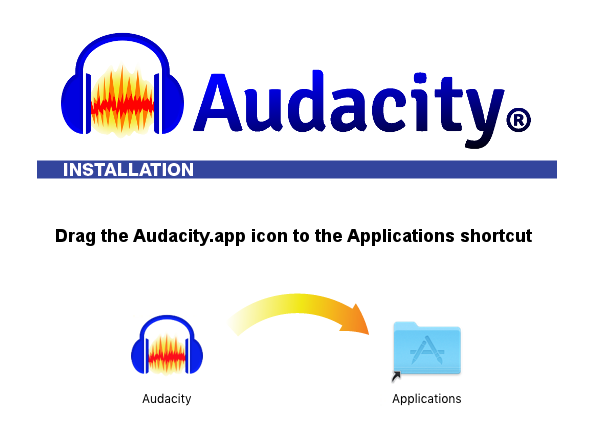
- Audio Editing
- Storyboard
- Video Editing
- The Documentary
- What I Learned and Problems I Solved
- Watch tutorial
- Check out the advanced options with 1001fonts.com
- Use Georgia font for this project
- Upload and Embed the image from Flickr
- Watch tutorial
- Upload and Embed the image from Flickr
- Watch tutorial
- Upload and Embed the image from Flickr
- Add text under the heading
- The unedited audio recording .wav file will be saved to the server folder with your first name
- Upload and Embed the image from Flickr
- Upload and Embed the image from Flickr
- Add your edited audio narration
- Add your pie chart as many times and you will reference it in the video
- Add the images into the timeline in the order on the storyboard
- Adjust the time of each picture and pie chart image to fit your narration timeline
- Upload and Embed the image from Flickr
Sample Blog Posts
- Coming soon Spring of 2023
Goal of Project
- Learn and apply cybersecurity concepts to daily life
- Learn about productivity
- Learn more about digital storytelling
- Learn basic design continuity
- Learn basic audio editing
- Learn basic video editing
- Learn basic infographic creation
Skills
- 5.1 Define the elements of design ( e.g. line, form, color, space, texture, value, shape)
- 5.2 Define the principles of design (e.g. emphasis, unity, balance, proportion, rhythm)
- 5.3 Identify elements of composition C.R.A.P. (contract, repetition, alignment, proximity)
- 5.4 Combine text, images, and sound by incorporating information from a wide range of media (e.g. films, newspapers, magazines, online information, television, videos, and electronic media-generated images)
- 5.5 Use the selected media skillfully, edit appropriately, and monitor for quality
- 5.6 Scan photographs, objects, and drawings
- 5.8 Panel Elements and Structure
- 5.9 Export window and settings
- 5.10 Test audience response and revise the presentation accordingly
Tutorials and Resources
Recording Narration of Your Script
Camera Plus Separate Audio
Camera Audio
Editing in Audacity
More Resources
- Create a color palette
- color.adobe.com
- Watch a tutorial on using Color.Adobe.com
- ColorSchemeDesigner.com
- Pick a custom font
- Build a pie chart in Google Sheets
- Import your color palette into Illustrator
- Build the Illustrator chart (Advanced option)
- Watch Adobe Illustrator Tutorial (with your chosen font)
- Gather Creative Commons images from openverse.org
- Be sure to cite your sources at the end of your video or slideshow from openverse.org
- Pick Creative Commons music from the openverse.org
- Be sure to cite your sources at the end of your video or slideshow from openverse.org
- Learn the basics of Premiere Pro
 Capital High School
You must be logged in to post a comment.